Find the change that caused a Kubernetes incident
The first question in every incident channel is “did anyone deploy?” — because most incidents follow a change. Here is how to correlate a failure to the deploy, config change, or GitOps sync behind it: the manual way, and the automatic one.
Kubernetes on AWS EKS · connects read-only · judgment is advisory, execution is Permit-governed
Most incidents are a change in disguise
A workload that was healthy an hour ago and is failing now didn’t break on its own. Something moved — a deploy, a config edit, a GitOps sync, a scaled replica count. Finding that something first is almost always faster than debugging the symptom cold.
The problem is that change data and incident data usually live in different places: deploy logs in CI, manifests in Git, sync history in ArgoCD or Flux, and the failing pods in the cluster. Correlating them by hand, mid-incident, is exactly the work that eats the first thirty minutes.
Finding it by hand
You can get there manually — it just means stitching three timelines together under pressure.
# What rolled out recently for the failing workload, and when?
kubectl rollout history deployment/checkout-worker -n checkout

# What did the last GitOps sync actually change?
argocd app history checkout-worker

# Cross-reference the incident start time against Git
git log --since="1 hour ago" --oneline
Then you line the incident’s start time up against those three histories and read the diff of whatever landed just before. It works — but it’s manual, and it’s the same work on every incident.
How ChangeGuard AI finds it
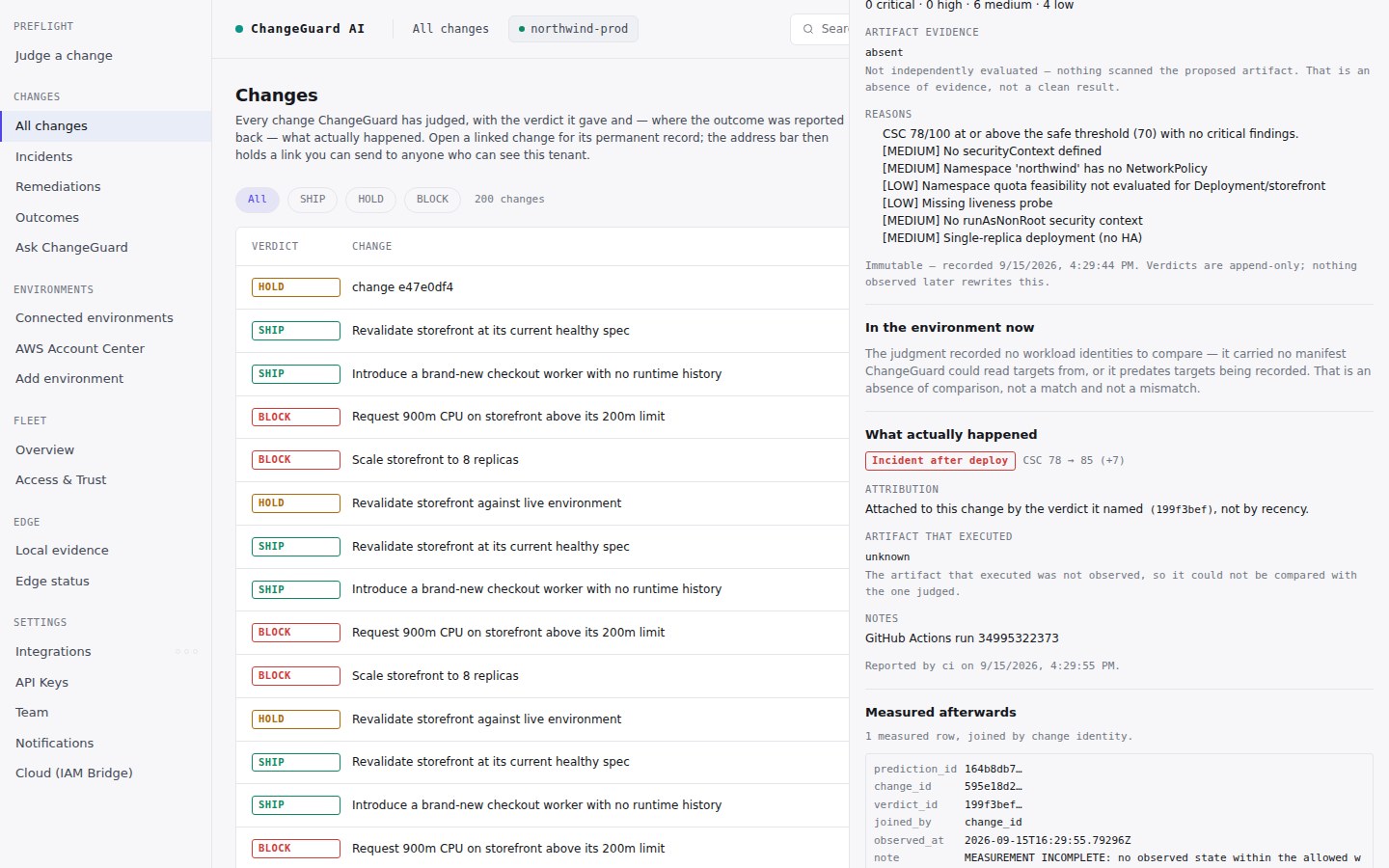
A checkout worker starts getting OOMKilled and restarting. Was it traffic? A leak? ChangeGuard AI shows the change that shipped just before, labeled “change linked,” so the team investigates the right thing first instead of chasing memory graphs. Every failing workload carries that link back to the commit and diff that shipped it — deploys, config changes, and GitOps syncs alike.
- Every failing workload linked to the change that shipped it
- Deploys, config changes, and ArgoCD / Flux syncs, on one timeline
- One shared, correlated understanding — not five parallel investigations
The win: fewer duplicate investigations — the whole team starts from the same answer.
Correlating changes to incidents, answered
How do I find the change that caused a Kubernetes incident?
Line up the incident’s start time with your recent deploys, config changes, and GitOps syncs, then read the diff of the one that lands just before the failure. ChangeGuard AI automates this by linking each failing workload to the exact change that shipped it, with the commit and diff.
Why is “did anyone deploy?” the first question in every incident?
Because most incidents follow a change. Confirming what shipped, and what it touched, is usually faster than debugging the symptoms from scratch.
Can ChangeGuard AI correlate GitOps (ArgoCD or Flux) changes too?
Yes. ChangeGuard AI records deployments, config changes, and GitOps syncs from ArgoCD and Flux across the fleet, so a failure caused by a sync is linked the same way as one caused by a pipeline deploy.
Is change-to-incident correlation generally available?
Yes — change-to-incident correlation is generally available today. Recalling similar past incidents to inform a decision is an Early Access capability, clearly labeled as such.
See it correlated live
Watch ChangeGuard AI link a failing workload to the change that shipped it, on a real cluster, in the interactive demo. No signup, no install.